OSC / SOURCE
PITCH sets the base note and SIREN LEVEL sets the source volume. SQR is hard and direct, SAW is rough, TRI and SIN are rounder, while NOIZ removes most of the pitched character.

A browser-based dub siren with oscillator, ZAP, LFO, filter, echo, reverb, built-in riddims and recording in one performance deck.
This is the best deck to start with. OSC shapes the source, LFO moves the pitch, ZAP creates short sweeps, and ECHO CHAMBER throws the sound into space. Each section stays independent, so you can build the effect while playing.
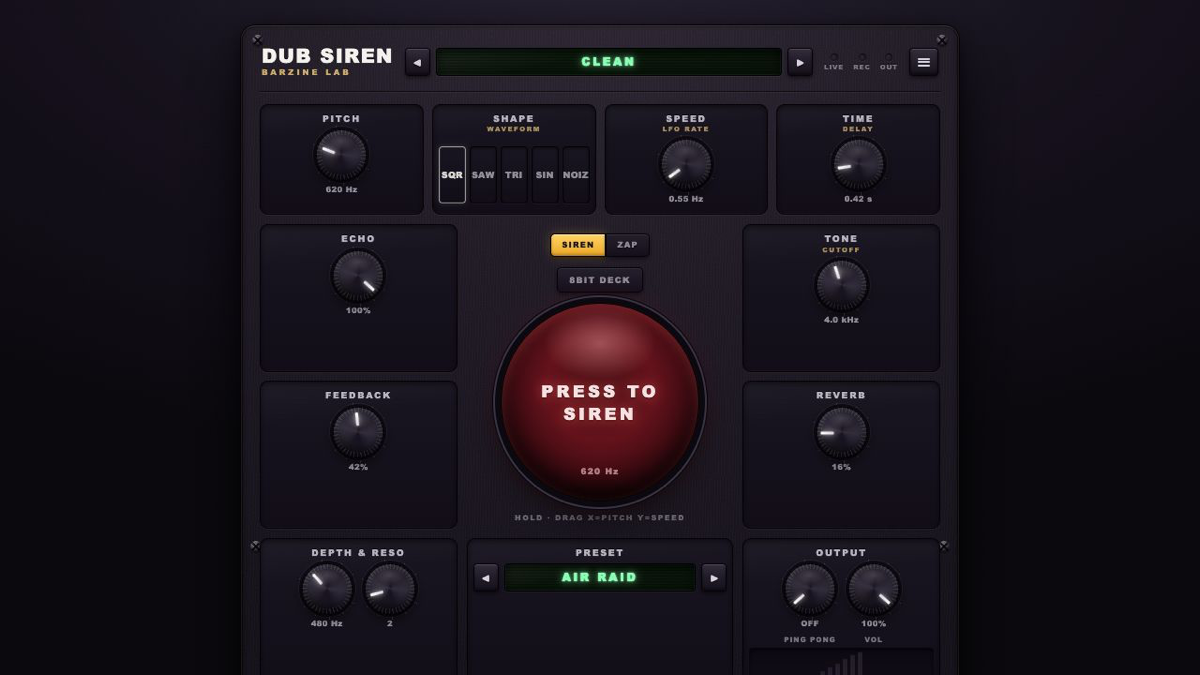
This is the best deck to start with. OSC shapes the source, LFO moves the pitch, ZAP creates short sweeps, and ECHO CHAMBER throws the sound into space. Each section stays independent, so you can build the effect while playing.
DUB SIREN DECK is a browser music tool for playing dub sirens, ZAPs, echo and reverb. No install or account is required. Layer a siren over the built-in riddim, then save the performance with browser recording.
PITCH sets the base note and SIREN LEVEL sets the source volume. SQR is hard and direct, SAW is rough, TRI and SIN are rounder, while NOIZ removes most of the pitched character.
RATE controls movement speed and DEPTH controls pitch range. The LFO waveform changes the motion from smooth sweeps to stepped alarms and one-way rises.
ZAP uses SWEEP for range, SPEED for travel time and REPEAT for bursts. Lower FILTER CUTOFF for a darker sound and raise RESO to emphasise the edge.
DELAY sets the repeat interval, FEEDBACK sets how long it returns and REVERB adds a tail. Lower MASTER before pushing FEEDBACK into self-oscillation.
Use SQR, low DEPTH and about 40% FEEDBACK. Tap the pad and leave only two or three repeats.
Choose TRI or SIN, darken the filter, add reverb and lengthen the delay. Let one hit breathe.
Use a fast ZAP, increase REPEAT and choose a CLASH-style echo. Drop it into breaks rather than holding it continuously.
Press REC before performing, stop when the take is complete, then use SAVE to download the recording. Check MASTER and FEEDBACK first so self-oscillation does not cause a sudden level jump.
Start from one preset or one pattern, then adjust only the part you can hear changing.
OPEN TOOL →