MAIN ROTARIES
PITCH sets the note, MODE selects the movement, SPEED controls modulation and TIME sets the echo interval.

A hardware-style dub siren controlled by rotary knobs, action switches and a performance pad that changes pitch and speed while you drag.
The centre pad is the instrument. Drag horizontally for PITCH and vertically for SPEED, then use the surrounding controls for DEPTH, TONE, LEVEL, FEEDBACK, SPACE and DRIVE.
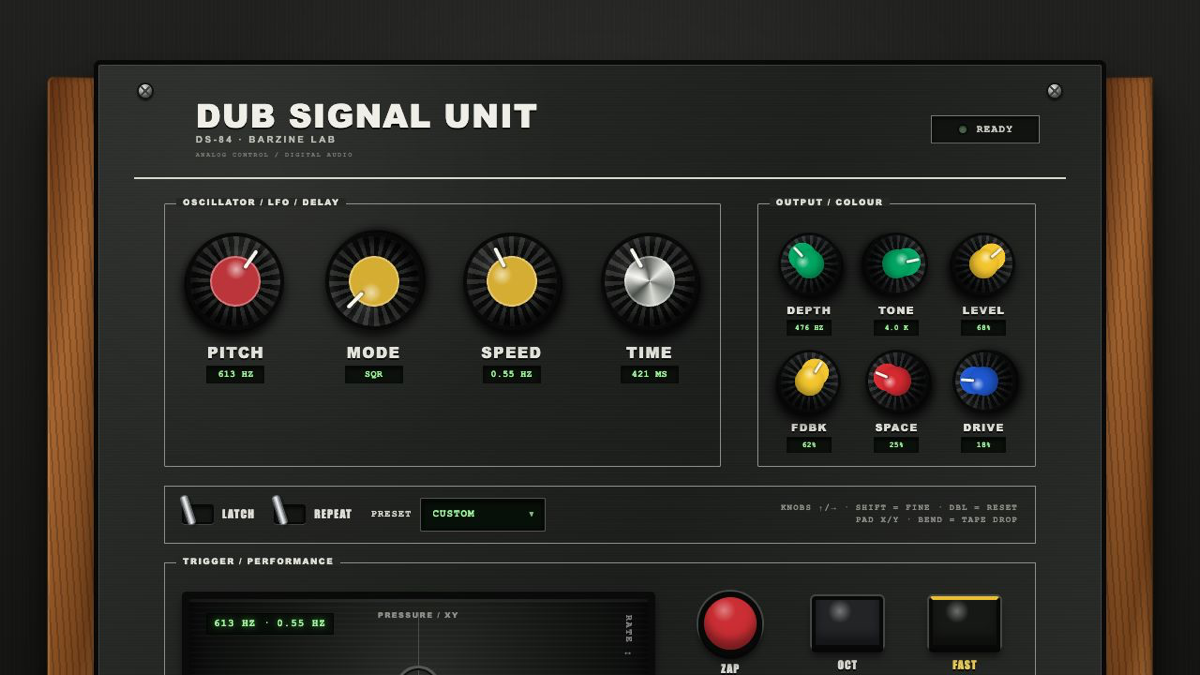
The centre pad is the instrument. Drag horizontally for PITCH and vertically for SPEED, then use the surrounding controls for DEPTH, TONE, LEVEL, FEEDBACK, SPACE and DRIVE.
A hardware-style dub siren controlled by rotary knobs, action switches and a performance pad that changes pitch and speed while you drag.
PITCH sets the note, MODE selects the movement, SPEED controls modulation and TIME sets the echo interval.
DEPTH sets movement range, TONE controls brightness, LEVEL sets siren volume, FEEDBACK sets repeats, SPACE adds ambience and DRIVE adds distortion.
LATCH keeps the sound running after release. REPEAT loops the action. Learn the stop state before combining them.
ZAP makes a short sweep, OCT jumps an octave, FAST accelerates movement and BEND shifts pitch. REC and STOP capture the performance.
Drag the PLAY pad slowly toward the upper right to raise pitch and speed together.
Use low PITCH, dark TONE and more SPACE. Keep it short and leave OCT off.
Leave LATCH off and hold FEEDBACK at a moderate level. Perform mainly with ZAP and BEND.
Start with REC and finish with STOP. If LATCH is used during the take, release it before the end so the final decay stays intentional.
Start from one preset or one pattern, then adjust only the part you can hear changing.
OPEN TOOL →