MODE
SIREN cycles continuously, ARP repeats notes, LASER makes a sharp pitch move and ALARM creates an urgent pattern.

An 8-bit siren machine with four tracks, a 16-step sequencer, chip voices, live FIRE and BURST pads, echo and browser recording.
The default state uses CHIP KIT at 138 BPM. Build KICK, SNARE, HAT and SIREN across sixteen steps, then play the siren on top. VOICE and BITS set the game-console character, CRUSH adds grit, and ECHO leaves the trail.
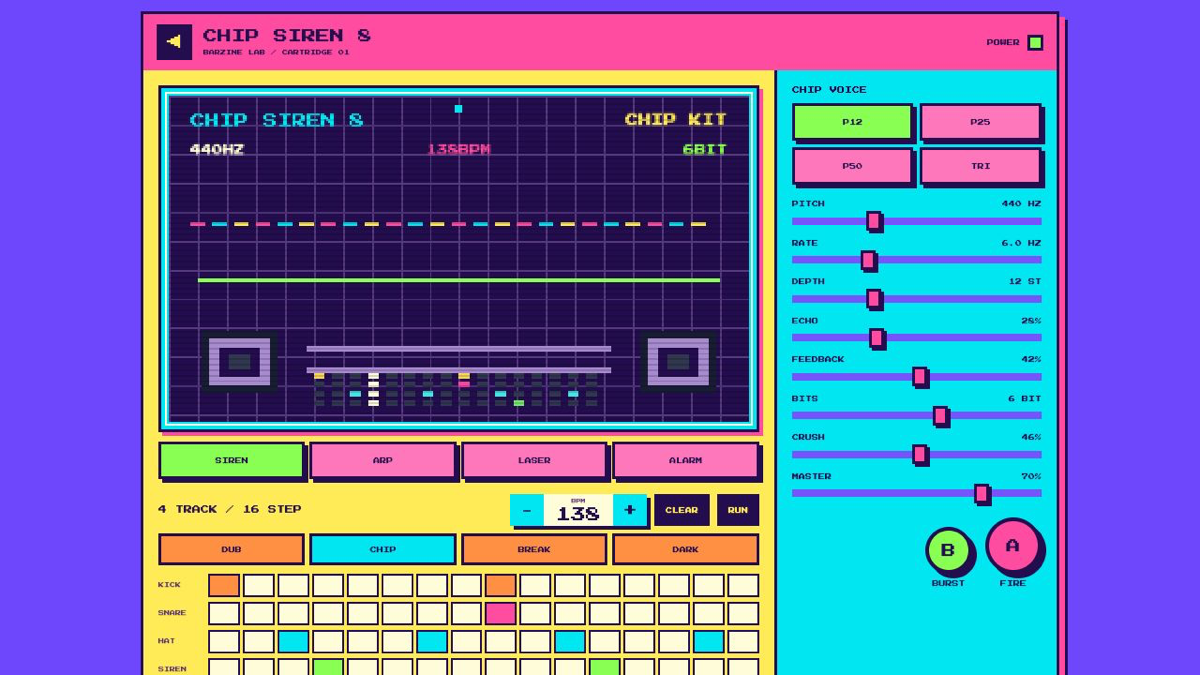
The default state uses CHIP KIT at 138 BPM. Build KICK, SNARE, HAT and SIREN across sixteen steps, then play the siren on top. VOICE and BITS set the game-console character, CRUSH adds grit, and ECHO leaves the trail.
An 8-bit siren machine with four tracks, a 16-step sequencer, chip voices, live FIRE and BURST pads, echo and browser recording.
SIREN cycles continuously, ARP repeats notes, LASER makes a sharp pitch move and ALARM creates an urgent pattern.
BPM sets loop speed, RUN starts playback and CLEAR removes every step. Keep KICK and SNARE readable, then use HAT for motion.
P12 and P25 are thin pulse waves, P50 is a fuller square wave and TRI is softer. BITS reduces resolution and CRUSH adds digital break-up.
ECHO controls repeat level, FEEDBACK controls duration and MASTER controls total output. Chip tones are bright, so keep the long-session level conservative.
Use CHIP KIT, P12 and LASER with high DEPTH and low FEEDBACK. Tap FIRE briefly.
Choose DARK KIT, P50 and ARP. Put KICK on the first and third beats and move HAT to the offbeats.
Use DUB KIT around 76 BPM, TRI and a longer echo. Remove siren steps so the repeats have room.
Press REC to capture the loop and live pads. Stop recording, then use SAVE to download the WebM audio. MUTE stops output without resetting the sequencer position.
Start from one preset or one pattern, then adjust only the part you can hear changing.
OPEN TOOL →