PRESET / MODE
Presets are starting points. SIREN sustains while the pad is held; ZAP is better for short pitch moves and repeated shots.

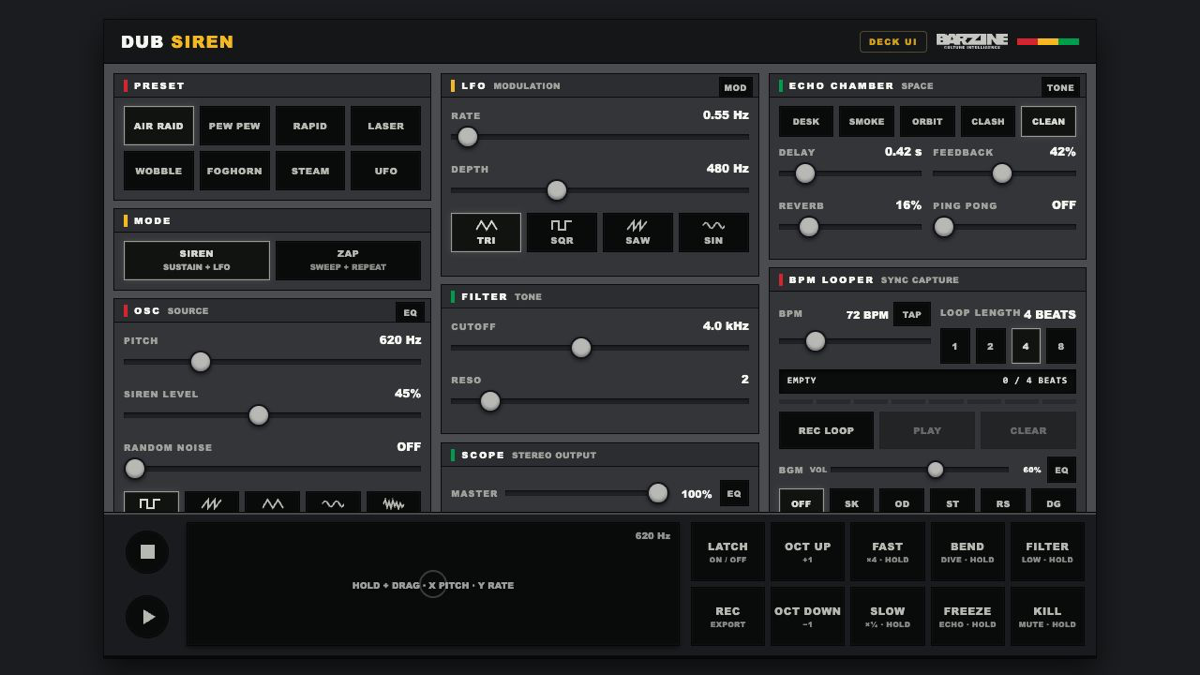
A focused dub siren interface for waveform, LFO, ZAP, filter, echo, reverb, hold effects, BPM looping and recording.
Start from AIR RAID, PEW PEW, RAPID, LASER, WOBBLE, FOGHORN, STEAM or UFO, then edit only the sections you need. Hold the large pad and drag: sideways moves pitch, up and down moves the LFO rate.
Start from AIR RAID, PEW PEW, RAPID, LASER, WOBBLE, FOGHORN, STEAM or UFO, then edit only the sections you need. Hold the large pad and drag: sideways moves pitch, up and down moves the LFO rate.
A focused dub siren interface for waveform, LFO, ZAP, filter, echo, reverb, hold effects, BPM looping and recording.
Presets are starting points. SIREN sustains while the pad is held; ZAP is better for short pitch moves and repeated shots.
OSC creates the core tone and LFO supplies movement. Square waves cut through, sine waves stay smooth and noise works as an effect.
DELAY, FEEDBACK and REVERB build depth. FREEZE grabs the previous sound, while FILTER and KILL create performance changes.
The looper repeats a short performance in time. Set tempo before recording material for a track.
Start from FOGHORN or WOBBLE, darken the filter and slow the RATE.
Use PEW PEW or LASER with a square wave and a short delay.
Stop the source, lower MASTER, then raise FEEDBACK slowly until the echo begins to sing.
Use REC to capture the browser output and save after stopping. Setting BPM, MASTER and FEEDBACK before the take reduces avoidable retakes.
Start from one preset or one pattern, then adjust only the part you can hear changing.
OPEN TOOL →