SIREN
SQR, SAW, TRI and SIN set the waveform. PITCH sets the note, SPEED sets movement and DEPTH sets the pitch range.

An audiovisual siren that bends an uploaded image in real time with pitch, speed, depth, delay, feedback, stereo width, noise and glitch controls.
The siren and the image share one performance. PITCH, SPEED and DEPTH shape the tone; WIDTH, PHASE, NOISE, GLITCH and INTENSITY determine how the picture responds.
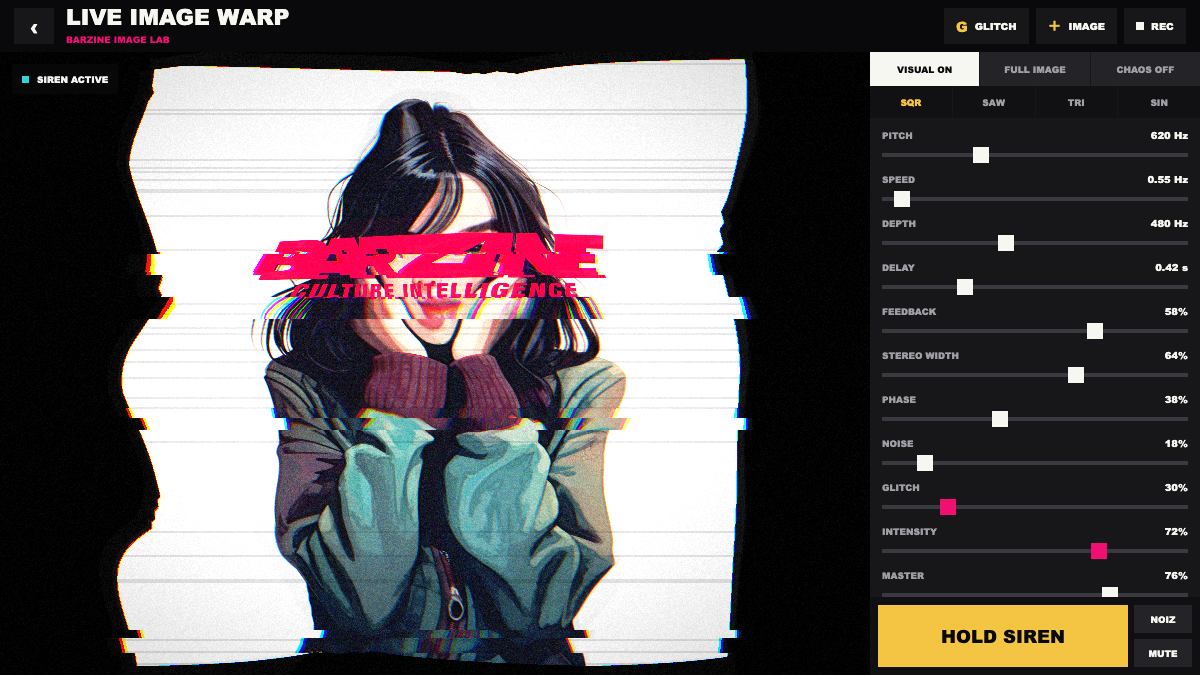
The siren and the image share one performance. PITCH, SPEED and DEPTH shape the tone; WIDTH, PHASE, NOISE, GLITCH and INTENSITY determine how the picture responds.
An audiovisual siren that bends an uploaded image in real time with pitch, speed, depth, delay, feedback, stereo width, noise and glitch controls.
SQR, SAW, TRI and SIN set the waveform. PITCH sets the note, SPEED sets movement and DEPTH sets the pitch range.
DELAY and FEEDBACK create repeats, while STEREO WIDTH and PHASE spread the signal. Keep width controlled on headphones.
NOISE adds grain, GLITCH adds tears and offsets, and INTENSITY sets total response. Build the base with CHAOS off.
REC captures the picture and sound as WebM. Set image fit, MASTER and response strength before recording.
Use FULL IMAGE, low GLITCH and moderate INTENSITY so the face stays recognisable.
Use SQR, faster SPEED, short DELAY and a quick HOLD SIREN press.
Use SIN, slow SPEED, more WIDTH and low NOISE for a soft stereo movement.
Recording produces a WebM video containing the canvas and tool audio. Let the image finish loading before REC, and stop after the echo tail has ended.
Start from one preset or one pattern, then adjust only the part you can hear changing.
OPEN TOOL →