BPM / TAP
Quarter-note time is calculated from tempo and expanded to triplet and dotted divisions.

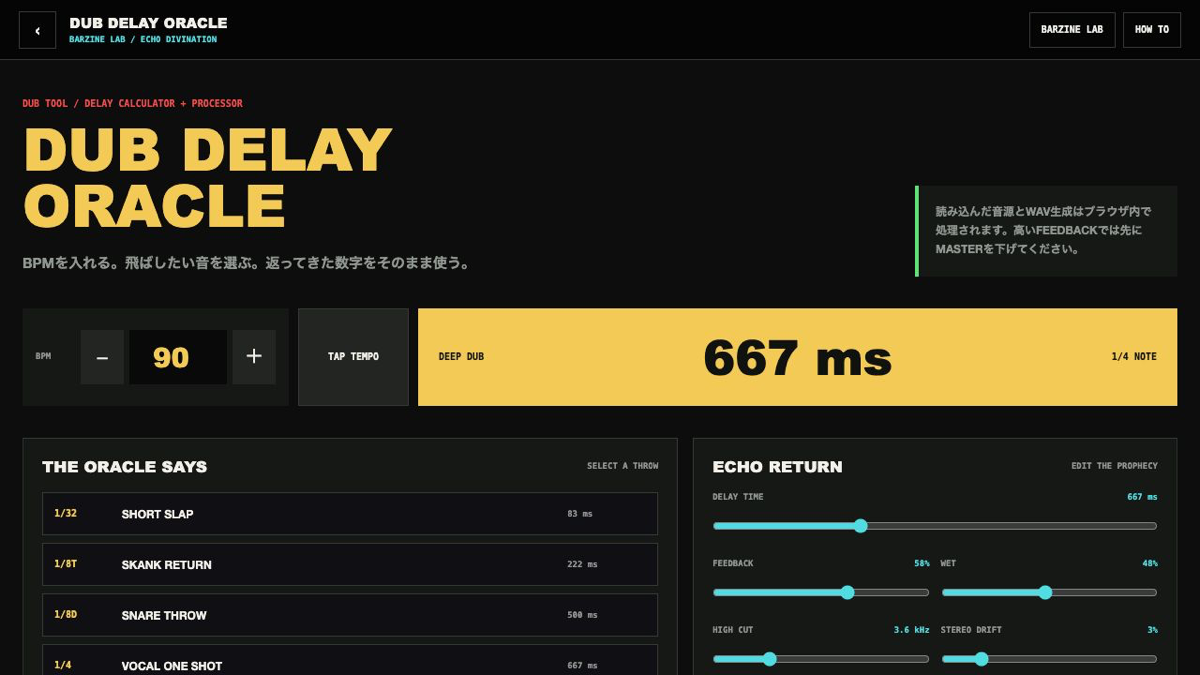
A BPM-synced dub delay calculator and local audio processor for slap, skank, snare, vocal and long feedback throws.
Choose what you want to throw rather than reading a bare millisecond table. Each oracle combines note division, delay time, feedback, wet level and high cut.
Choose what you want to throw rather than reading a bare millisecond table. Each oracle combines note division, delay time, feedback, wet level and high cut.
A BPM-synced dub delay calculator and local audio processor for slap, skank, snare, vocal and long feedback throws.
Quarter-note time is calculated from tempo and expanded to triplet and dotted divisions.
Each use changes the timing and return settings as one starting point.
Feedback controls repeat length, wet sets balance, high cut darkens the return and stereo drift offsets the two sides.
Use the built-in rim or a local audio file, then export the processed result as WAV.
Start with SNARE THROW and lower feedback if the return crosses the next snare.
Use VOCAL ONE SHOT on a short phrase and darken the high cut.
Lower master before RED ZONE and test with a short sound.
Copy settings for a DAW or export the current processed audio and delay tail as stereo WAV. Files stay in the browser.
Start from one preset or one pattern, then adjust only the part you can hear changing.
OPEN TOOL →