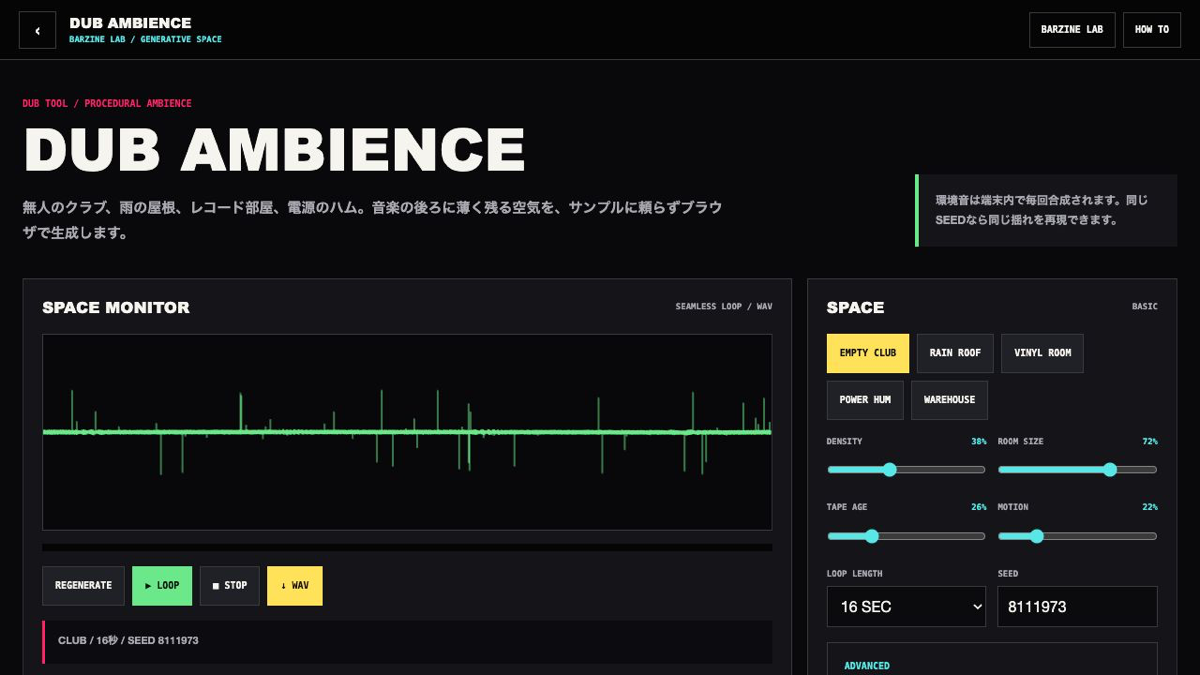
The generator makes background air rather than a lead sound. Use density, room, age and motion to keep it behind the music.
What this browser tool does
A seeded procedural ambience generator for club air, rain, record crackle, power hum and warehouse space, with looped WAV export.
First five steps
Choose one of five spaces.
Play the loop and set density and room size.
Add tape age and slow motion.
Balance hum, rain, crackle and PA pulse in ADVANCED.
Confirm seed and length, then export WAV.
Basic controls
DENSITY / ROOM
Balance activity against reflection size.
AGE / MOTION
Add light saturation and slow stereo movement.
HUM / AIR / RAIN
Build electrical tone, filtered noise and high-frequency texture.
SEED / STATE
A seed reproduces movement across A/B, favourites and shared URLs.
Practical setups
Empty club
Large room, restrained hum and moderate air.
Rain roof
High rain, medium room and a little motion.
Vinyl room
Higher age and crackle with a longer loop.
Save and export
Export an eight, sixteen or thirty-two second stereo WAV. Keep the seed or JSON to rebuild the same space.
What this tool does not do
This tool focuses on one sound or pattern task rather than final mixing.
Keep output level conservative before pushing feedback, drive or repeated effects.
FAQ
Is it free?
DUB AMBIENCE is free to use in the browser.
Do I need to install anything?
No. Open the tool in a current browser to start.
Can I save or export the result?
Export an eight, sixteen or thirty-two second stereo WAV. Keep the seed or JSON to rebuild the same space.
What should I try first if it does not work?
The level is intentionally suitable for background use.
Troubleshooting
The level is intentionally suitable for background use.
Use a longer loop and less pulse when repetition is obvious.
Lower hum and room size when low frequencies cloud the mix.
Check hum on speakers or headphones with usable bass response.
Next tools
How to use DUB SIREN DECKA browser-based dub siren with oscillator, ZAP, LFO, filter, echo, reverb, built-in riddims and recording in one performance deck.
How to use CHIP SIREN 8An 8-bit siren machine with four tracks, a 16-step sequencer, chip voices, live FIRE and BURST pads, echo and browser recording.
How to use DUB SIREN CLASSICA focused dub siren interface for waveform, LFO, ZAP, filter, echo, reverb, hold effects, BPM looping and recording.
OPEN DUB AMBIENCE
Start from one preset or one pattern, then adjust only the part you can hear changing.