CHORD INPUT
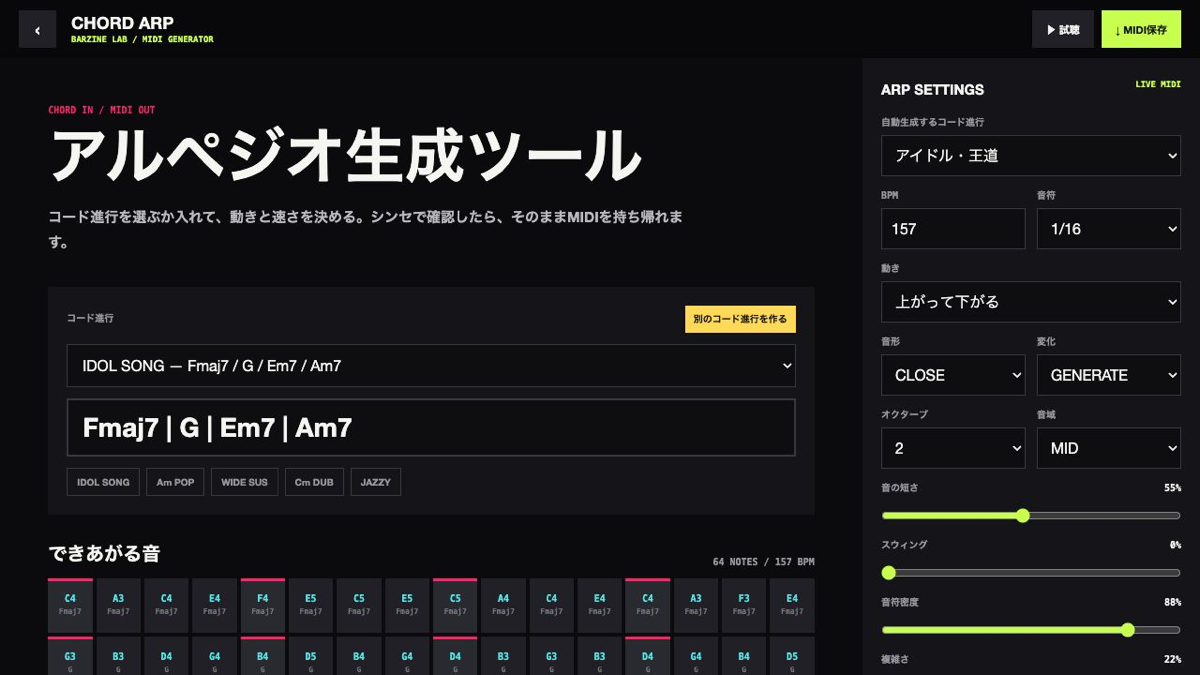
Choose pop, anime, jazz, city-pop and minor progressions, or create another progression inside the selected style.

A browser arpeggio generator that turns chord progressions into playable patterns and exports MIDI with adjustable rate, motion, range, gate, swing and density.
Start from a progression preset or type your own chords. Generation happens locally in the browser, so the progression and exported MIDI are not sent to a server.
Start from a progression preset or type your own chords. Generation happens locally in the browser, so the progression and exported MIDI are not sent to a server.
A browser arpeggio generator that turns chord progressions into playable patterns and exports MIDI with adjustable rate, motion, range, gate, swing and density.
Choose pop, anime, jazz, city-pop and minor progressions, or create another progression inside the selected style.
RATE sets note spacing and PATTERN sets order. At 1/32, lower BPM or density before judging the phrase.
OCTAVES set spread, REGISTER sets the centre and GATE sets note length. Reduce GATE when notes overlap.
SWING shifts timing, DENSITY adds rests, COMPLEXITY adds change and HUMANIZE introduces small timing differences.
Use 1/16 notes, one octave, short gate and high density for a focused repeated figure.
Use two or three octaves, outward motion and medium density to reveal the chord shape.
Use 1/8 notes, moderate swing, a lower register and a longer gate.
MIDI SAVE exports notes and timing only. Load the file into a DAW, choose the instrument there and edit velocity, duration and automation for the final sound.
Start from one preset or one pattern, then adjust only the part you can hear changing.
OPEN TOOL →