LOAD PAD
Load one audio file into the selected pad. Use WAV, MP3, M4A, AAC, OGG or FLAC when the browser can play the file.

A simple sixteen-pad browser sampler for one-shots, held sounds and loops, with automatic pad assignment, per-pad level and pitch, and compact performance effects.
This is a sixteen-pad sampler for placing sounds and playing them immediately, before you need detailed waveform editing. Keep short effects, voices, drums and loops within reach by assigning each pad a clear role.
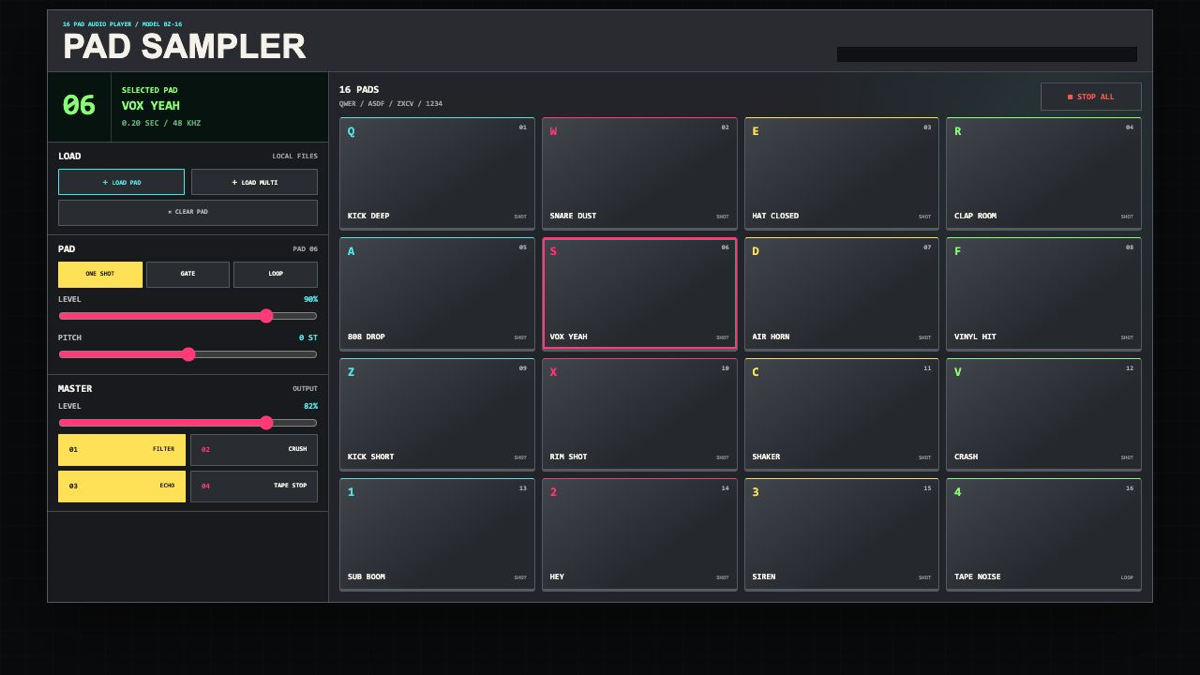
This is a sixteen-pad sampler for placing sounds and playing them immediately, before you need detailed waveform editing. Keep short effects, voices, drums and loops within reach by assigning each pad a clear role.
BARZINE PAD SAMPLER is a browser tool for placing audio on sixteen pads and playing it with clicks, taps or keyboard keys. Keep effects and loops in reach when you need to trigger them quickly.
Load one audio file into the selected pad. Use WAV, MP3, M4A, AAC, OGG or FLAC when the browser can play the file.
With AUTO ASSIGN on, several files are placed across empty pads starting from the selected position. Existing pads are not overwritten.
The rows map to 1234, QWER, ASDF and ZXCV. You can also drop an audio file directly onto a pad.
LEVEL and PITCH are stored per pad. Lower a loud effect before it reaches the master, or move PITCH in semitones to change a voice.
ONE SHOT plays to the end, GATE plays while held, and LOOP repeats until you trigger it again.
FILTER, CRUSH, ECHO and TAPE STOP change the full output. STOP ALL silences everything that is currently playing.
Put laugh, surprise, reaction and ending sounds in separate rows. Keep the important sounds in the upper left.
Place drums on the top row, voices in the middle, and loops or noise below. Check every pad once before playing the set.
Put ambience or tape noise in LOOP and keep STOP ALL within reach before you start.
Loaded local audio stays inside the current browser session. Reloading the page clears the pads, so keep the source files available when you need to rebuild the set.
Start from one preset or one pattern, then adjust only the part you can hear changing.
OPEN TOOL →