AUTO ASSIGN
When it is on, loading runs AUTO CHOP with the current sensitivity and slice count. When it is off, the entire source lands in PAD 01 for manual cutting.

A browser sampler that checks, trims, normalises and folds local audio to mono before cutting it into sixteen pads, recording patterns, resampling and exporting WAV files.
Prepare the source before chopping it. Check peak, RMS and stereo correlation, then use AUTO CHOP as a starting point and correct every boundary by ear.
Prepare the source before chopping it. Check peak, RMS and stereo correlation, then use AUTO CHOP as a starting point and correct every boundary by ear.
A browser sampler that checks, trims, normalises and folds local audio to mono before cutting it into sixteen pads, recording patterns, resampling and exporting WAV files.
When it is on, loading runs AUTO CHOP with the current sensitivity and slice count. When it is off, the entire source lands in PAD 01 for manual cutting.
FORMAT shows duration, sample rate and channels. PEAK and RMS describe level; STEREO shows left-right correlation. Negative correlation can lose weight in mono, so audition the result.
TRIM SILENCE removes only the beginning and end below the threshold and keeps a 5 ms safety edge. NORMALISE targets -1 dBFS. MAKE MONO averages all channels. SOURCE WAV exports the prepared source.
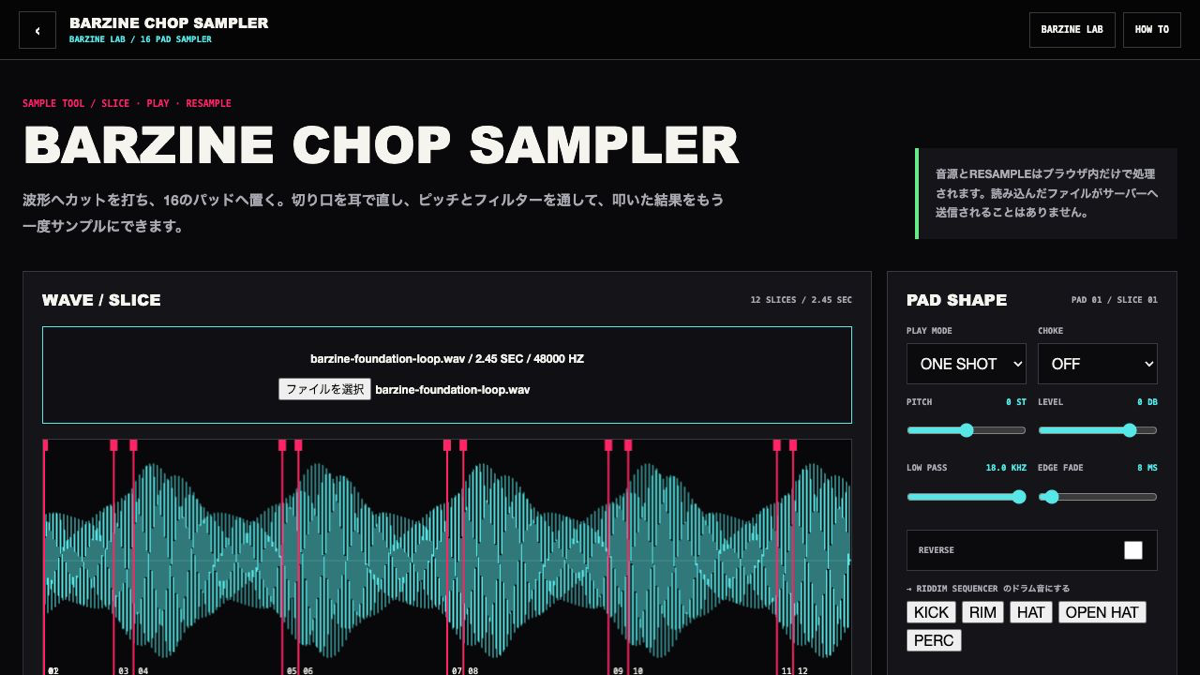
Coloured regions map directly to the pads. AUTO CHOP looks for attacks, while EVEN divides the source by time. Manual cuts snap near zero crossings to reduce clicks.
Play with 1234, QWER, ASDF and ZXCV from top to bottom. The selected pad and its waveform region share the same number.
ONE SHOT plays through, GATE follows the key and LOOP repeats. Pitch, level, low-pass, edge fade and reverse are stored per pad.
The grid is one sixteen-step bar. RECORD places live hits on the nearest step. RESAMPLE records pad playback and master effects into the selected pad.
Normalise a quiet source, trim long edges around -48 dB and compare stereo against mono before committing.
Run sixteen-slice AUTO CHOP around 60% sensitivity, then drag only the markers that miss a kick or snare attack.
Place cuts just before consonants. Use ONE SHOT for full tails or GATE to perform phrase length.
Layer pitched pads, add a small delay mix and record with RESAMPLE. The result lands on the selected pad for another pass.
SOURCE WAV exports the prepared full source. PAD WAV exports one selected sound. PATTERN WAV renders the full bar and effect tail. Source and resampled audio are not included in URLs, JSON or local favourites.
Start from one preset or one pattern, then adjust only the part you can hear changing.
OPEN TOOL →