MOTION / STILL IMAGE
MOTION creates a three-second animated GIF. STILL IMAGE stops movement for PNG output and remains selected while you change the image or STYLE.

An image glitch processor for RGB split, tears, scanlines, grain, photocopy colour and risograph patterns, with PNG still and three-second GIF export.
Start from NIGHT VISION, RISO PRINT, HALFTONE or another finished look, then open the detailed controls only when the image needs more distortion or a custom colour set.
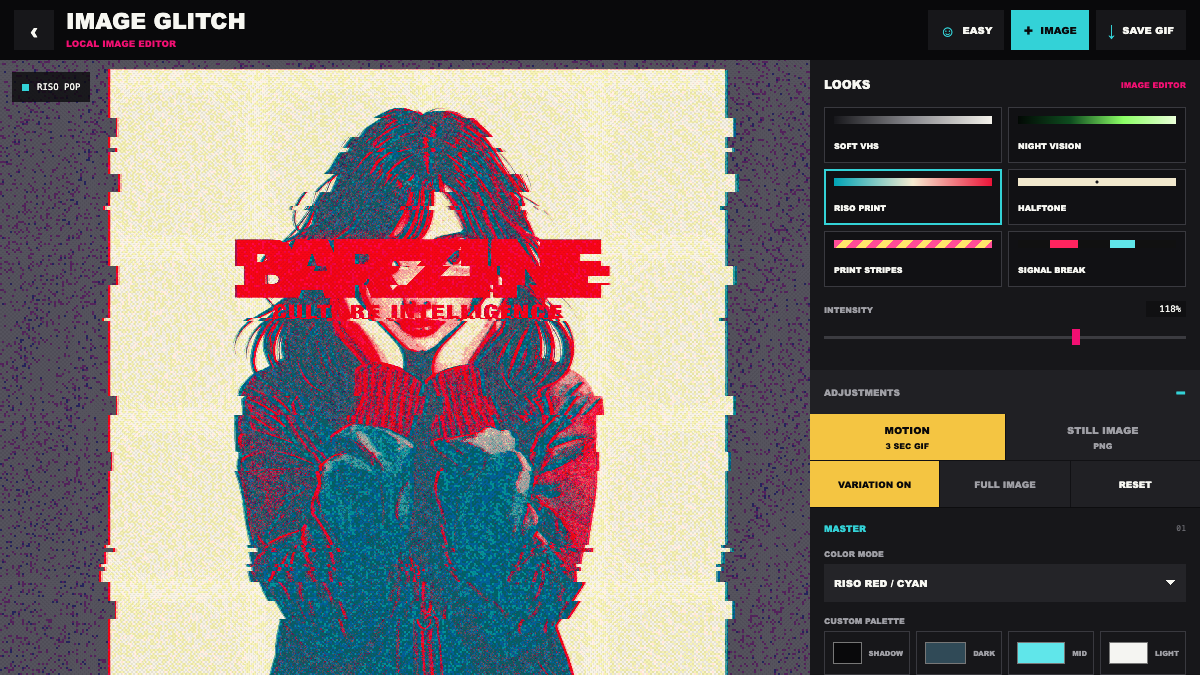
Start from NIGHT VISION, RISO PRINT, HALFTONE or another finished look, then open the detailed controls only when the image needs more distortion or a custom colour set.
An image glitch processor for RGB split, tears, scanlines, grain, photocopy colour and risograph patterns, with PNG still and three-second GIF export.
MOTION creates a three-second animated GIF. STILL IMAGE stops movement for PNG output and remains selected while you change the image or STYLE.
Choose SOFT VHS, NIGHT VISION, RISO PRINT, HALFTONE, PRINT STRIPES or SIGNAL BREAK. INTENSITY moves several effects together.
Choose ORIGINAL, MONOCHROME, NIGHT VISION or RISO colours. CUSTOM PALETTE lets you set four colours from shadow to highlight.
RGB SPLIT offsets colour, TEAR creates horizontal breaks, TRAIL leaves an afterimage, ZOOM repeats scale and FLICKER changes brightness.
GRAIN adds particles, INK PRINT roughens colour and SCANLINE adds display lines. Use only the textures the image needs.
Start from SOFT VHS, keep TEAR low and add a little RGB SPLIT and SCANLINE.
Choose a RISO palette, add DOT or STRIPE and reduce unrelated distortion.
Choose NIGHT VISION, raise GRAIN and SCANLINE, then lower TEAR when the subject loses its outline.
Use SIGNAL BREAK with strong TEAR and moderate RGB SPLIT, then switch to STILL IMAGE on a readable frame.
STILL IMAGE saves the current frame as PNG. MOTION captures a three-second GIF. The selected output mode stays active when you change the image, LOOK or INTENSITY.
Open an image, choose a finished look, adjust only what the image needs, then export it.
OPEN TOOL →