LIVE PROGRAM
The active cue, type, note and remaining time stay in the large panel. The timer turns yellow at one minute and pink at ten seconds.

A local run-of-show timer for live events, DJs, MC battles and streams. Arrange performers, changeovers and breaks, then keep the active cue and remaining time visible.
FIELD SCHEDULE is a small show-control desk for real-world timing. Build the running order, keep the current cue large, and move to the next call without losing the schedule.
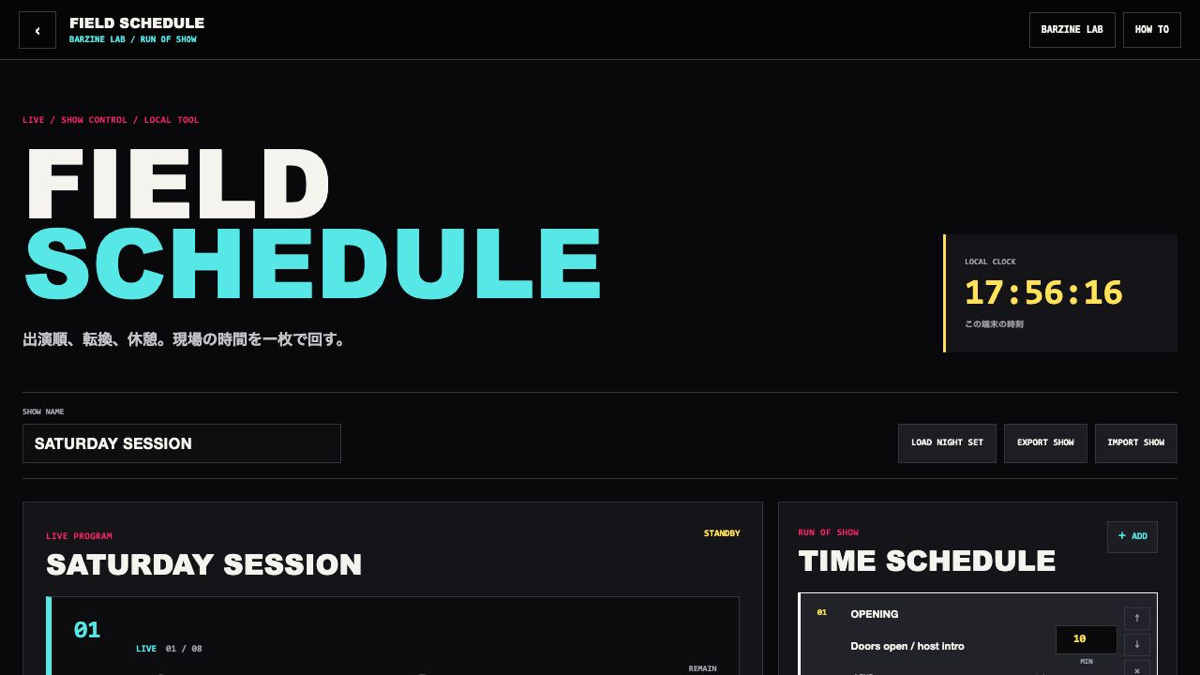
FIELD SCHEDULE is a small show-control desk for real-world timing. Build the running order, keep the current cue large, and move to the next call without losing the schedule.
FIELD SCHEDULE is a browser tool for arranging performers, changeovers and breaks. Keep the current cue, next call and total remaining time visible while the show moves forward.
The active cue, type, note and remaining time stay in the large panel. The timer turns yellow at one minute and pink at ten seconds.
Arrange live sets, DJs, changeovers, breaks, talks, doors and close cues in one list. Click a cue number to make it current.
Finish the current cue and move forward. The last cue changes to SHOW COMPLETE so you know the running order has reached the end.
Change names, notes, types and minutes in place. Move rows up or down, then delete the ones you do not need.
The schedule is saved in this browser. EXPORT SHOW creates JSON and IMPORT SHOW reads a schedule prepared on another device.
SPACE starts or pauses, N moves to the next cue and R resets the current cue. FULLSCREEN keeps the timer readable from a distance.
Use OPENING, DJ SET, CHANGEOVER, LIVE SET, BREAK and CLOSE. Keep the changeover time visible instead of hiding it in a note.
Split DOORS, qualifiers, changeovers, BEST 16, BREAK, FINAL and CLOSE into separate cues so the next call is always visible.
Build WAITING, OPENING, GUEST, BREAK and ENDING cues, then keep the full-screen timer beside the streaming scene.
The schedule is stored in localStorage and returns on the same device. EXPORT SHOW creates a JSON file you can carry to another laptop or venue. No audio service or account is required.
Start from one preset or one pattern, then adjust only the part you can hear changing.
OPEN TOOL →